Setting a Stop Date
A Stop Date can be entered for prescriptions if the medication is being used short-term (i.e. antibiotics). The Stop Date and the days thereafter are indicated on MAR reports with a "x" to show that medication should not be administered on those days.
To set a Stop Date:
-
When processing a prescription in Rx Detail, select the expander button
 to open the Administration Details window.
 If the prescription has already been processed, Amend it and open the Administration Details window.
-
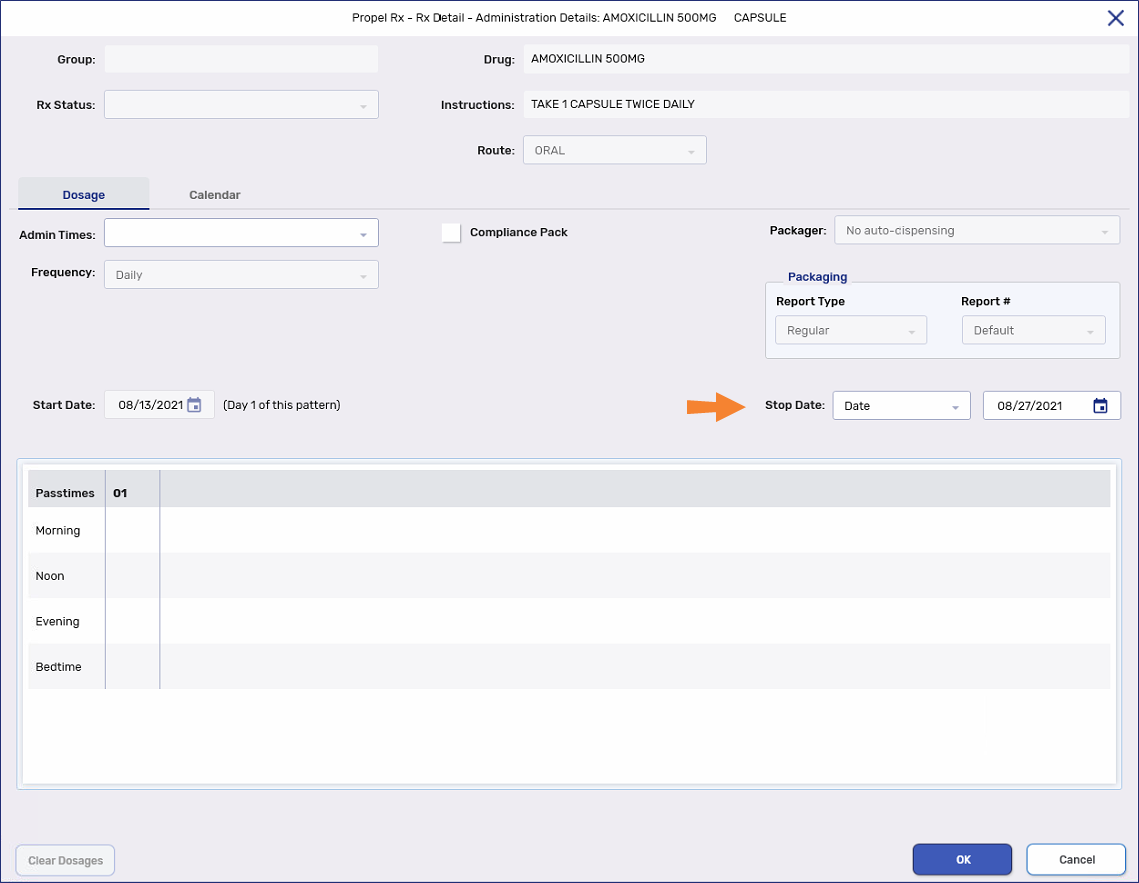
Dropdown the Stop Date field and select the appropriate option.
-
Select OK.
-
Continue filling the prescription as per usual process.
In provinces with EHR integration, if a Detected Issue is returned for the prescription status change, the transaction is placed in the EHR Queue for you to manage. The prescription's status remains unchanged until the transaction is sent to the EHR.
Reauthorizing a Prescription with a Stop Date
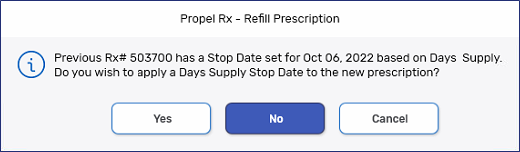
When reauthorizing a prescription that has a Stop Date, a prompt will appear asking if you want to apply the same Stop Date setting for the new authorization.
-
Yes - carries the Stop Date over to the new authorization.
-
No - does not carry over the Stop Date to the new authorization.
-
Cancel - aborts the reauthorization process.